Showing posts with label Andriod. Show all posts

IQOO 3 5G Now buy from Flipkart


India has barely launched iQOO with their iQOO 3 5G and 4G variants. And in the meantime, we didn't tell you about the first flash cell of this phone that was on Flipkart.But this time if you want to buy an IQOO 3 5G or 4G phone, no more waiting for a separate flash cell. Now you can buy this phone on Flipkart right away. Yes, this phone has come to open cell this time.

IQOO 3 5G Phone Price

This phone has been launched in India at an initial price of Rs 36,990. At this price, 8GB RAM and 128GB storage variants of this phone can be purchased. You can buy the phone's 12GB RAM and 256GB storage variant for Tk 44,990. And this phone has 8GB RAM and 256GB storage variant you can buy for Rs 39,990. And on this phone you can find Tornado Black, Volcano Orange, and Quantum Silver color.

IQOO 3 5G Phone Specs and Features

This phone has a 6.44 inch Full HD + display. And on this phone you will find Qualcomm Snapdragon 865. The phone has three variants 8GB, 128GB with 12GB RAM, 25GB variants. Its 5G variants will get you 12GB of RAM and 256GB variants.

This iQOO 5G phone has a quad rear camera which offers two 12MP cameras with 48MP main camera and a 2MP camera. The phone has a 16MP camera on the punch hole display. And on the phone you get a 4440mAh battery which supports 55W super flash charge.
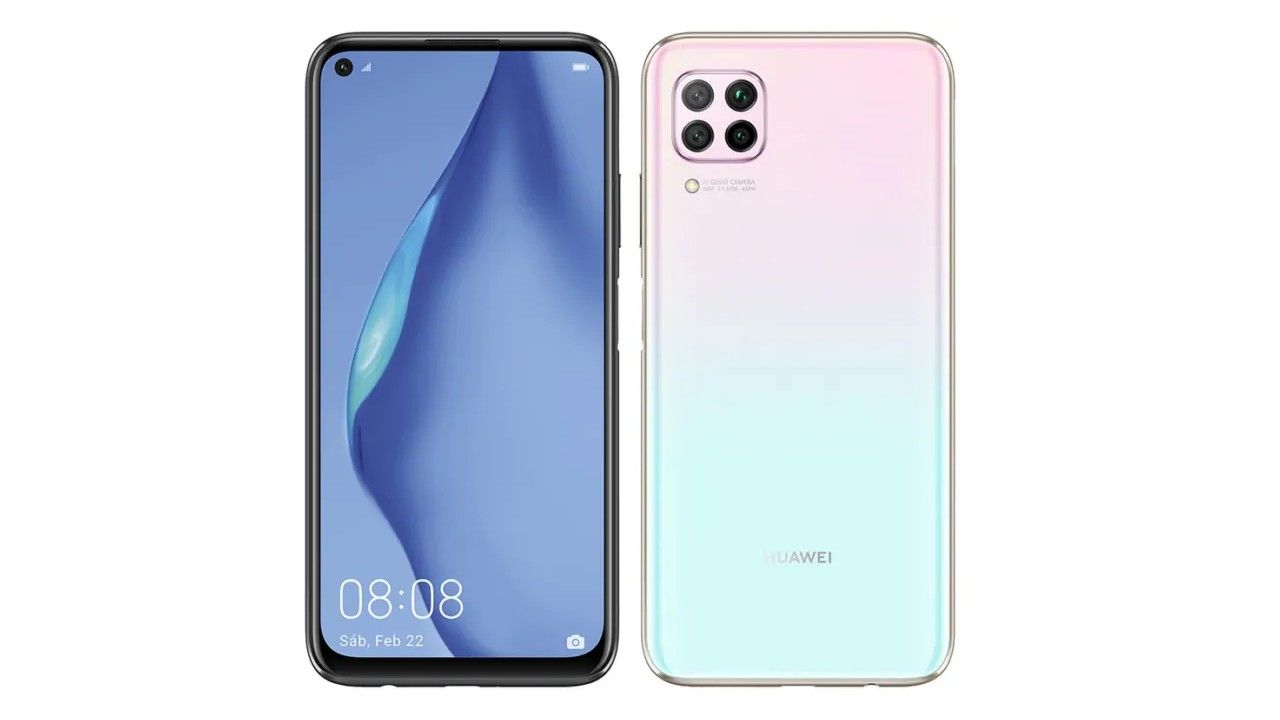

The launch of the HUAWI P40 LITE is not a Google service | Bangla Tech Jagat


The Huawei P40 Series will come out on March 26, and the company has officially launched a device for the series. The Huawei P40 Lite phone has just been launched in Spain. And this is not a new phone. This Huawei P40 Lite is actually a rebrand version of the Huawei Nova 6 SE which arrived in December. The price of 6GB and 128Gb variants on the phone is EUR 299 (around Rs 23,400) and the price of 8GB model of this phone is not known yet.

On the Huawei P40 Lite phone, you will get a 6.4-inch Full HD + display and its resolution is 1080 x 2310 pixels. And this phone has Kirin 810 chipset and you get 6GB RAM on the phone. The phone has EMUI skin with Android 10. No Google service (GMS) is offered on this phone. It was built on Huawei's Mobile Service (HMS) and therefore there is no Google service like Gmail, Play Store on this device.

If we look at this phone's camera, this Huawei P40 Lite has a quad camfa which is a 48MP main camera and 8MP wide angle lens III 2MP camera and the fourth camera is the same 2MP. And on this phone you will get a 24MP camera on the front. This phone has 128GB of storage which can be expanded through microSD card. And this phone has a 4200mAh battery with 40W super charge fast charging technology.

This phone has Mid Night Black, Square Pink and Crush Green options. The A-Ray device will go on sale March 2. It is not yet known whether this phone will come to India.

How to Setup Fingerprint Lock on WhatsApp | Bangla Tech Jagat


  1. You can now add a fingerprint lock to WhatsApp on Android
  2. You can unlock the app with your fingerprint
  3. No need to use third-party apps to add this any more

Over the past few months, WhatsApp has rolled out a bunch of new updates for both Android and iOS. One of these new updates lets you add a fingerprint lock to WhatsApp. This means that you can't access WhatsApp chats without unlocking the app via a fingerprint saved on the phone. Of course, you need a smartphone with a fingerprint sensor for this to work and the latest version of WhatsApp. Fingerprint lock on WhatsApp for Android works with phones that have a capacitive fingerprint sensor, and those that have an in-display fingerprint sensor. In this article, we will describe how to add a fingerprint lock to WhatsApp on Android.
Now, this feature has been available on WhatsApp for iPhone since February this year, and it first appeared in a beta build for WhatsApp's Android users back in August.
Here's how to set up WhatsApp fingerprint lock on your Android smartphone.
How to set up fingerprint lock on WhatsApp for Android
Before proceeding, make sure you have installed WhatsApp version 2.19.221 or above by heading over to the WhatsApp page on Google Play. Once that is done, simply follow these steps to secure your WhatsApp chats on Android with fingerprint authentication.
1. Open WhatsApp > tap the vertical three dots icon on the top-right and go to Settings.
2. Go to Account > Privacy > Fingerprint Lock.
3. On the next screen, turn on Unlock with Fingerprint.
4. Additionally, you can also set the duration after which you'll have to use your fingerprint to unlock WhatsApp. It can be set to Immediately, After a minute or After 30 minutes.
5. Further, you can also choose if you want to show the message content and sender in the notifications or not.
Now whenever you open WhatsApp, depending on the automatic lock duration you've set, you will need to apply your fingerprint to unlock the app. And that's how you can set WhatsApp fingerprint lock on your Android smartphone.

This 10000mAh battery power bank came to India in great colors | Bangla Tech Jagat


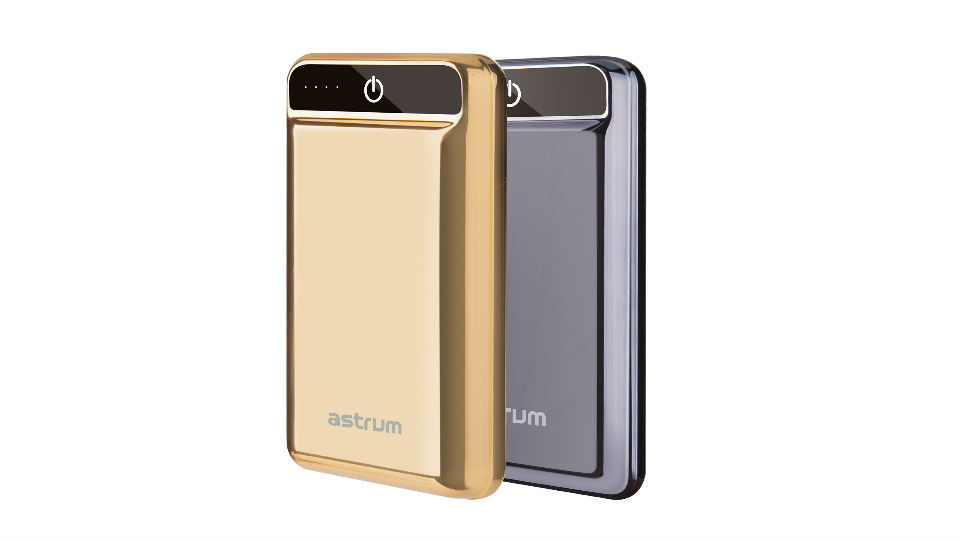
Astrum has brought a new power bank to India.  It is a 10000mAh power bank.  And you can buy it for 3499 rupees.  The price of this new power bank is PB240 and it comes as Quick Charge 3.0 power bank.

 Advertisements


 The company says this powerbank can charge up to 80% faster than other banks.  It offers cutting edge technology and this power bank has a 10000mAh battery and a dual USB output.

Advertisements


 And with this PB240 Powerbank is connected to LED status display and it charges 4 Indigator Light Power Bank.  It also has a Type C USB port, along with a micro USB port.  And it's connected to the Quick Charge USB port.  Its Quick Charge 3.0 helps keep the temperature cold.

 This power bank comes in Gold and Silver color.  And it takes 6 hours to charge and it can charge the phone 2-3 times simultaneously if it is full charge.  It can be purchased on Amazon with larger retail stores.

OPPO RENO Z and RENO 2 F prices dropped | Bangla Tech Jagat


Oppo launched their Reno2, Reno2 F and Reno2 Z smartphones in India in August 2019.  And this smartphone company is now offering these two phones at a discount of Rs 2000.  The Reno 2 phone is now being sold at its original price.

 Advertisements


 The Reno2 Z was launched in India at Tk 29,990 and the Reno 2 F phone was launched at Tk 25,990.  The price of 2Z and 2F phones is now Tk 27,990 and Tk 23,990 respectively.  And the price of this phone has been updated and is being sold on Amazon India.  The Oppo Reno 2Z phone can be purchased in Luminous Black, White and Polar Light colors, while the Reno 2F phone can be purchased in Leak Green and Sky White color.

You have the MediaTek P90 chipset on Reno 2Z phones.  And this phone has a 6.53-inch Full HD + display.  And on this phone you will get Corning Gorilla Glass 5 protection.  And there is no dance on the tip of this phone.  A 16MP camera is provided on the front of this phone.

 This phone is paired with 8GB of RAM and 256GB of storage.  And this phone has a quad camera setup which has 48MP main camera as well as 8MP ultra wide lens, 2 megapixel mono lens and 2MP portrait lens.  And this device is compatible with Android 9 Pi based Color OS 6.  And this phone has 4000mAh battery which has VOCC 3.0 support.

 Advertisements


Dark mode for the update of the Android phones in pixels, including 10 feature | Bangla Tech Jagat


Google has finally released the final update to their Android 10, as previously stated. This update comes on all Pixel phones via OTA. After its previous Android, Google broke their ten-year tradition and no longer named it a dessert. And Android brings multiple changes to their UI. There are also some major changes.Android 10's update also brings the Dark theme. And with this it will have less impact on the eyes and with it will save the battery. And besides modifying the system, the UI is also in the Dark Mode Support app. And with it there are eight different colors like Blue (default), Black, Green, Purple, Cinnamon, Ocean. Space and Orchid.


Dark theme of Android 10


The developers have given a new option that Force Dark features and it builds their new Dark theme, but with it comes the Dark version of the app.

Customers can enable this mode in multiple ways. However here we are suggesting a way to activate the Dark theme. You should also go to Settings> Display and battery saver here.


New gestures New navigation


Google has given a new gesture to the back button of Android 10. The gestures given in this UI in Elhan say that 'gestures will be faster. And it will be much more natural and ergonomic with phone navigation. "

And the tech giant has also stated that it is a two-button gesture navigation. And the number 1 button has gesture navigation that can be backed into main navigation. And if customers want to enable it, they have to follow this procedure - Settings> System> Gestures.

Privacy Control


Google has given their customers privacy control over Android 10, and with it control over app capability. You can go to Settings> Privacy> Activity Controls. And Android 10 can also have location, history and ad settings.

Apart from the feature, there have been several updates on security.

Bubbles is also a add-on to Android 10, which offers notifications and shortcut shares and more.

Google Search

The Web Only Soulsbox